Draw-first doses
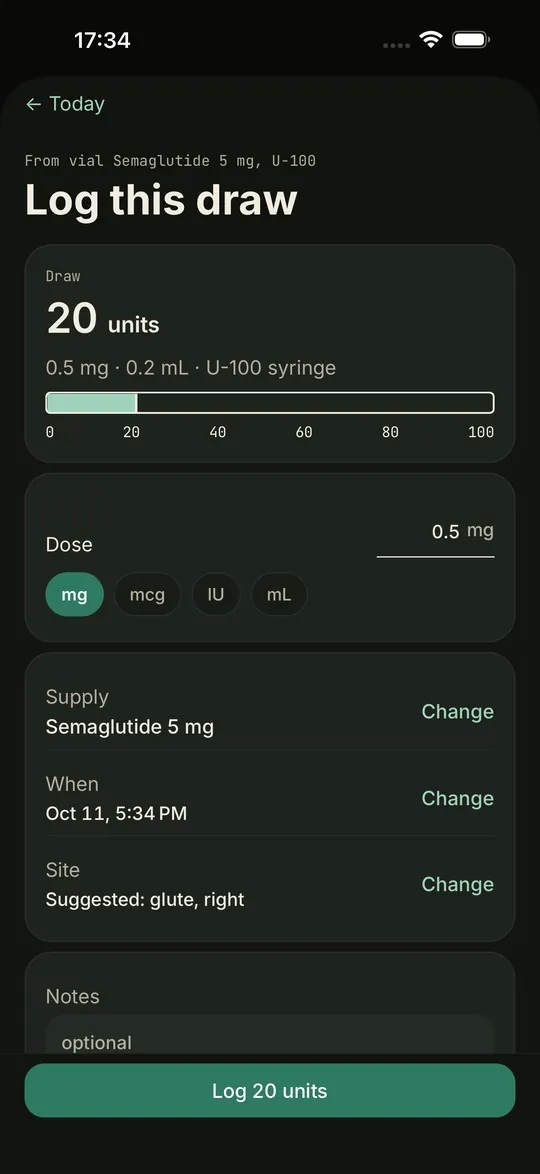
Today leads with the units on your syringe, with mg, mL and the syringe size underneath. No digging through settings.
Free on iPhone, with optional Pro
Vialist Log is the peptide, GLP-1 and TRT tracker that shows the number you actually draw, counts your vials down to the day, and never asks for an account.
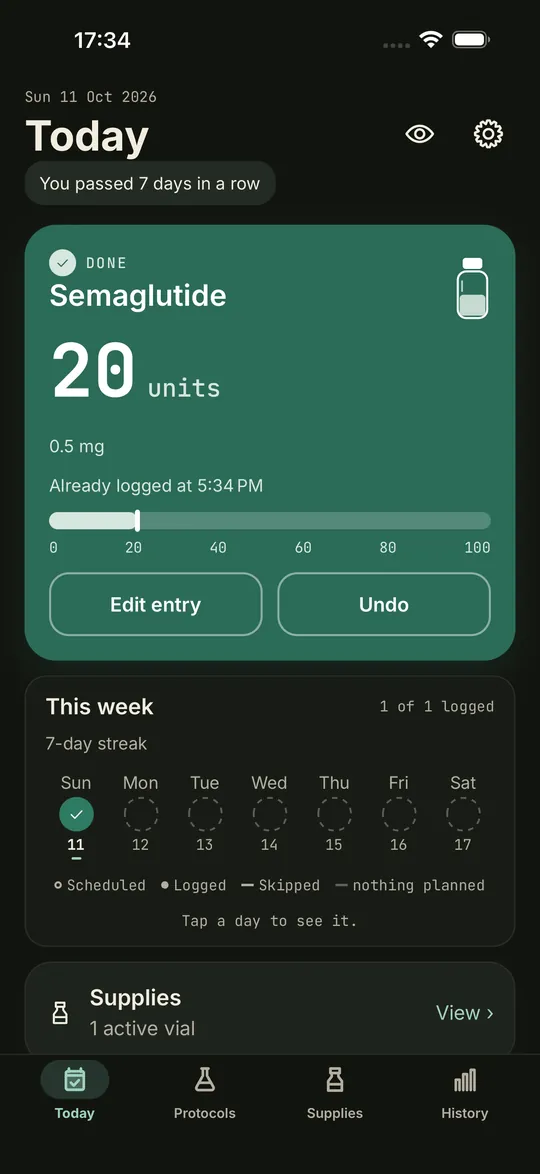
20 unitsDraw shown first, every time
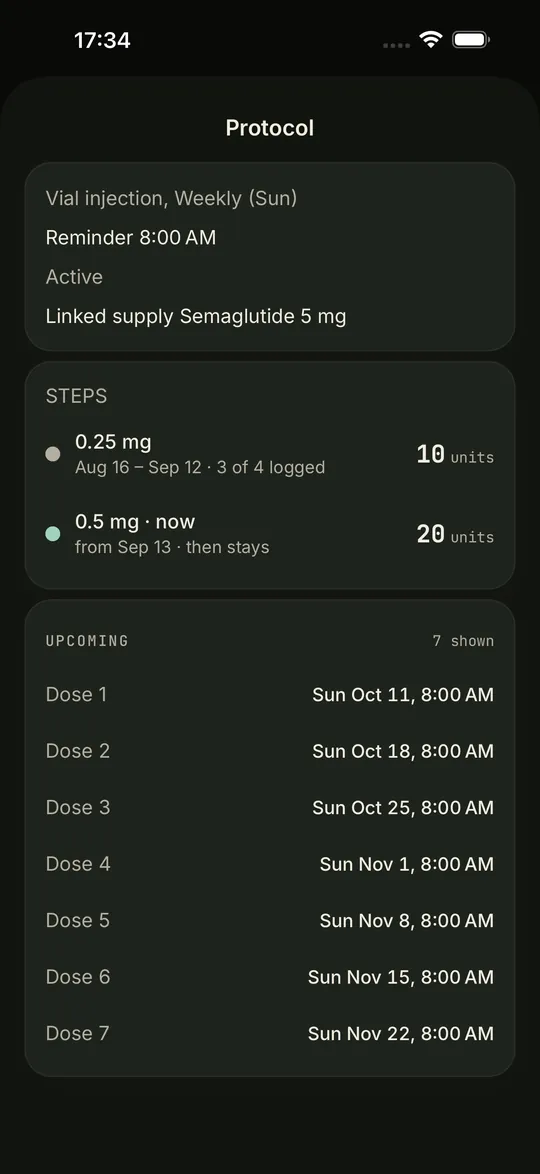
0.25 then 0.5 mgTitration, step by step
Privacy you can verify
What you log stays on your iPhone. No sign-up, no cloud copy, no ad SDKs. Apple's App Store label for Vialist reads "Data Not Collected", and that is the whole story.
Built for real protocols
Today leads with the units on your syringe, with mg, mL and the syringe size underneath. No digging through settings.
1 mg, then 2 mg, then 4 mg. Vialist moves you up on your date, or asks first, and shows each step's draw.
Twice or three times daily, each time with its own reminder and its own log. Add an instruction line to any protocol.
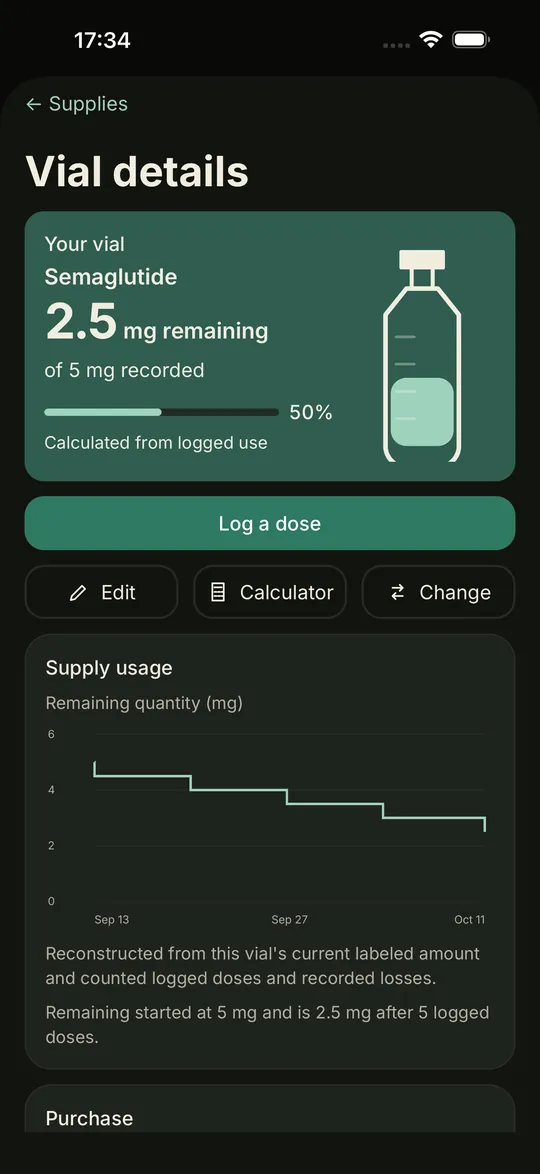
Every vial's remaining amount at a glance. Pro adds the runs-out forecast and an order plan for the next 4, 8 or 12 weeks.
Syringe failed or spilled? Take it out of stock without counting it as a dose. Your schedule stays honest.
Multi-compound vials, nasal sprays by the spray, pens and oral doses, all with the right math.
Tap the site on a front and back body map: abdomen, love handles, thigh and shoulder on the front; back of arm, hip and glute on the back. See how recently you used each.
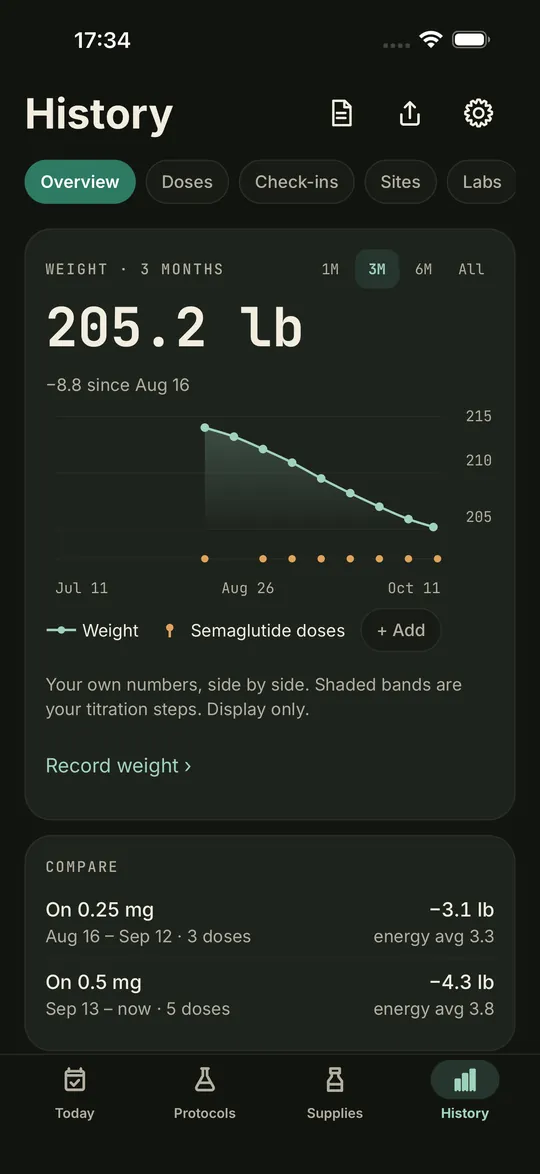
Weight, waist, blood pressure, sleep and labs charted alongside your doses. Pro adds step bands and estimated levels.
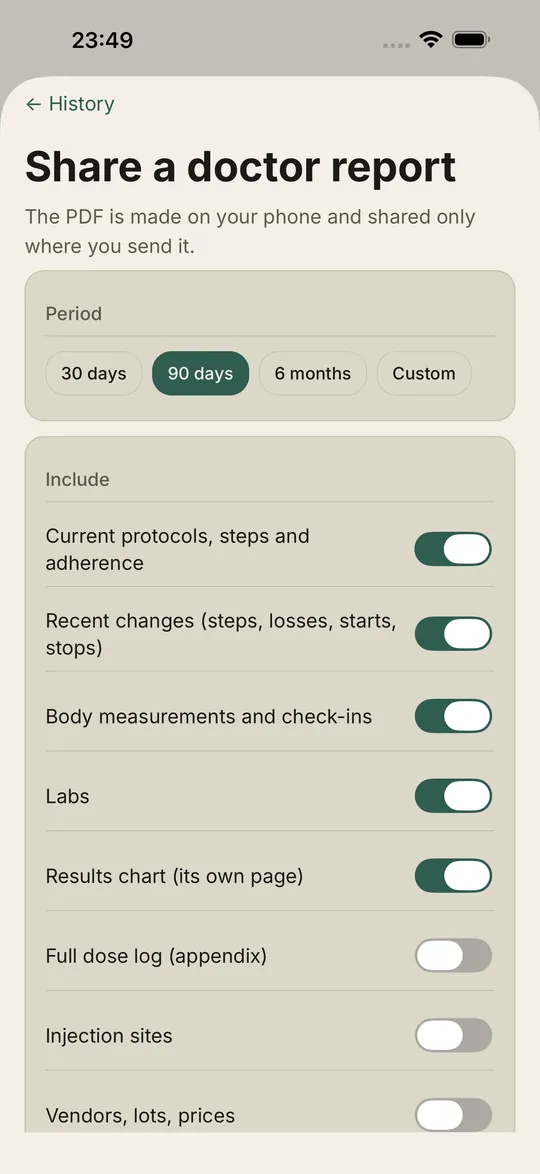
Preview the report in the app, then share the PDF or print it. Made on your phone and sent only where you choose. You pick what goes in.
The next dose, the time and the draw on your home screen and lock screen.
Read your weight, sleep and heart data from Apple Health and see it next to your protocols. Read only.
Print a label with a QR code. Scan it when you log to pick the right vial. The code holds only an ID.
Local reminders for each dose time, low stock and the end of a cycle. No push server, nothing sent.
Export your log as CSV or JSON. JSON backups are encrypted with a password you choose.
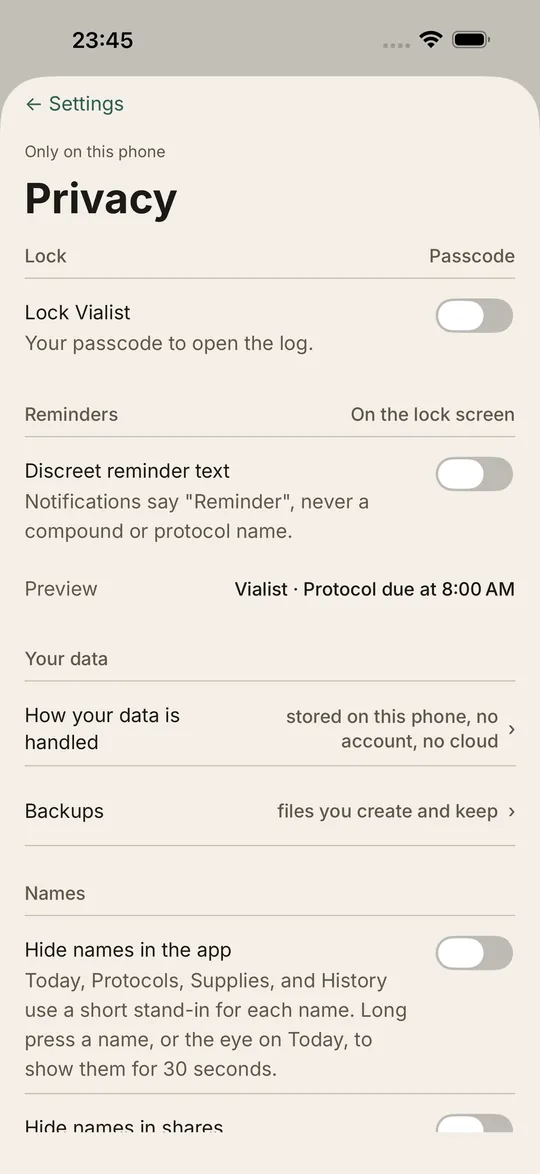
Face ID or passcode lock, Hide names for a discreet view, and reminders that never name a compound.
A look inside
Captured from the app itself. The doses shown are sample data, not advice.
Math that never guesses
Vialist's stock and calculation logic is tested against a separate Python model written from first principles, then compared number for number. When an input is missing, Vialist shows your mg and tells you what is missing. It never invents a number.
2separate implementations must agree
0doses ever suggested
Free, no account
Enter your own vial, water and dose to see the units to draw. It converts the numbers you type; it never suggests a dose. Want it in your pocket with reminders? That's Vialist Log.
Pricing
No account. Nothing leaves your phone.
$0
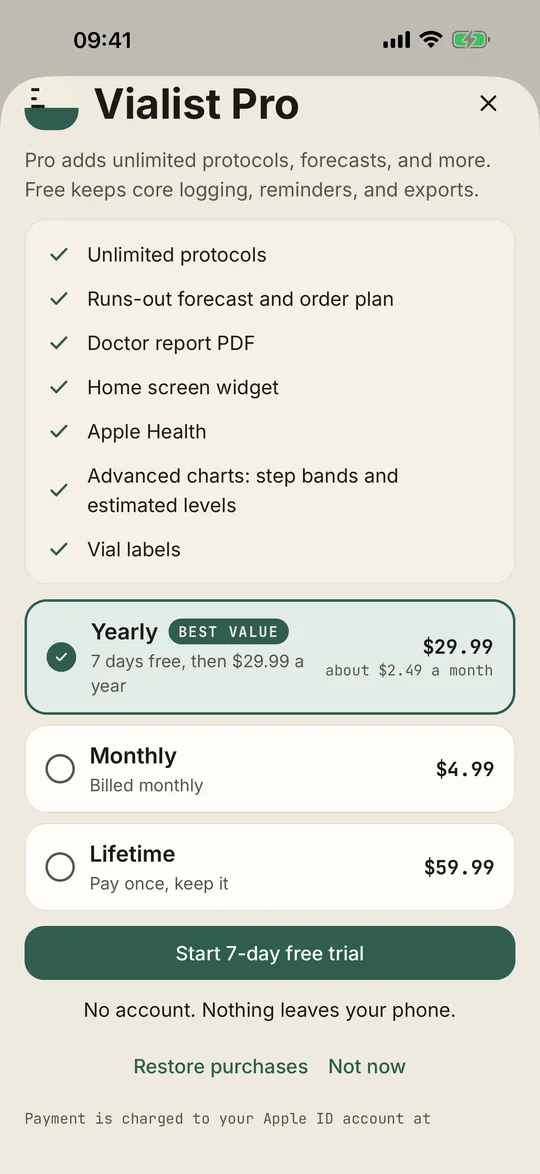
US prices. The App Store shows your local price. If Pro ends, logging and reminders keep working and your data is never locked. The yearly plan sends one local reminder two days before the trial ends, if notifications are on. Purchases are handled by Apple; Vialist never sees payment details. Terms
Questions
Yes. Vialist has no account system and no server for your log. Backups are files you create and keep, in your own iCloud Drive or Files.
No. You enter the dose you and your provider decided on. Vialist does the unit math and keeps the record.
The core app is free, with up to 2 active protocols. Vialist Pro is $4.99 per month, $29.99 per year with a 7-day free trial, or $59.99 once (US prices). See pricing.
No. Everything you log, every calculation and every reminder works offline. The app itself makes no network requests of its own: purchases go through Apple's StoreKit, and links you tap, such as cited sources, Terms and Privacy, open in Safari.
Yes. When you start the 7-day trial, Vialist can schedule one local notification for day 5, two days before it ends, if you have allowed notifications. It never asks for permission just for this. You can also cancel any time in iPhone Settings, under your name, then Subscriptions.
Yes, and both are free. Turn on the Face ID or passcode lock, use Hide names to show short stand-ins in the app, and switch on discreet reminders so notifications never name a compound.
iPhone first. Android is planned.
More about Vialist: what it is and how it works, what "no account" and "Data Not Collected" mean, the guides and the free calculators.
Join the free TestFlight beta and tell us what to build next. We read every message.